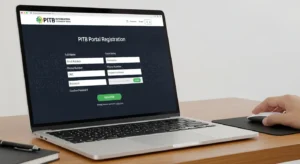

After submitting your Punjab Loan Scheme application, the next critical step is learning how to check your Punjab Loan Scheme Status Check Online 2026. Whether you’ve applied for Asaan Karobar Finance, CM Parwaaz Card, Apni Chat Apna Ghar, or any other Punjab government loan scheme, tracking your loan application status is essential to know where you stand in the approval process and when to expect updates. This comprehensive guide explains exactly how to check Punjab Loan Scheme status online, including step-by-step portal access instructions, different tracking methods (online portal, SMS, helpline, e-Khidmat centers),
what each status means, common problems and solutions, and realistic timelines for approval. By the end of this article, you’ll know precisely how to monitor your application progress and understand what each status stage means for your loan approval.
Understanding Punjab Loan Scheme Application Statuses
Before tracking your application, understand what each status means:
Common Application Statuses Explained
Status 1: Application Submitted
- Your application has been received by the system
- Preliminary checks running (automatic validation)
- Usually appears within minutes of submission
- No human review yet at this stage
- What it means: Processing has started
Status 2: Under Review / In Verification
- Your documents are being manually reviewed
- Bank and government officers examining your application
- Income verification underway
- Background checks running
- Timeline: Usually 3-5 business days
- What it means: Active processing, not automatic anymore
Status 3: Document Request / Additional Information Required
- You’re missing documents or need to provide clarification
- Portal or SMS notification sent requesting specific documents
- Action Required: Upload requested documents immediately
- Timeline to respond: Usually 5-7 days
- What it means: Salvageable—respond to request and approval can continue
Status 4: Approved / Selected
- Congratulations! Your loan has been approved
- You’ll receive notification via SMS, email, and portal
- Bank will contact you about next steps (disbursement, card collection)
- What it means: You’re receiving the loan
Status 5: Rejected
- Your application has been declined
- Reason provided (not meeting criteria, financial issues, etc.)
- Some rejections can be appealed
- What it means: You need to reapply or appeal if applicable
Status 6: On Hold / Waiting List
- Your application is eligible but funds are exhausted this round
- You may receive loan in next phase if scheme reopens
- Contact the helpline to understand your position
- What it means: Not rejected, but no current funds available
How to Check Status: Method 1 – Official Online Portal
The most reliable method to check your Punjab Loan Scheme status online is through the official government portal:
Step-by-Step Portal Access:
Step 1: Identify Your Scheme Portal
Different schemes use different portals:
| Loan Scheme | Official Portal |
|---|---|
| Asaan Karobar | asaankarobarfinancescheme.com.pk |
| CM Parwaaz Card | Official PITB portal (parwaz.punjab.gov.pk) |
| Apni Chat Apna Ghar | acag.punjab.gov.pk |
| PMYB&ALS | pmyp.gov.pk |
| Green Tractor Scheme | punjab.gov.pk/greentractor |
Step 2: Go to the Login/Tracking Page
- Open your web browser
- Type the official portal URL for your scheme
- Look for “Login” or “Track Application” button
- Click on “Track Application” or “Applicant Login”
Step 3: Enter Your Credentials
When prompted, enter:
- CNIC Number (13-digit format, no spaces)
- Application ID/Reference Number (if you have it)
- Password (the one you created during registration)
Important: Don’t have your Application ID? You can usually find it:
- Confirmation email sent after submission
- Text message (SMS) sent to your registered phone
- Screenshot you may have taken during application
- Check your email spam folder if message is missing
Step 4: View Your Application Status
Once logged in:
- Navigate to “My Application” or “Application Status” section
- Click on your most recent application
- View:
- Current status with timestamp
- Date last updated
- Any messages or notifications
- Next steps (if applicable)
Step 5: Download Documents if Needed
Most portals allow you to:
- Download your submitted application
- View uploaded documents
- Access approval letter (once approved)
- Print status for record keeping
Troubleshooting Portal Login Issues
Problem: Can’t remember password Solution: Click “Forgot Password” → Enter CNIC → Verification OTP sent to phone → Create new password
Problem: “Invalid CNIC” error Solution: Ensure CNIC entered exactly as on your identity card (may have spaces or not—check exact format)
Problem: Portal says “No application found” Solution:
- Ensure you’re on correct portal for your scheme
- Wait 2-3 hours after submission (system may not immediately sync)
- Try different browser or incognito mode
- Contact helpline if issue persists
Problem: Account locked after multiple login attempts Solution:
- Wait 24 hours
- Contact helpline to unlock
- Provide CNIC and application details for verification
How to Check Status: Method 2 – SMS Tracking
If you can’t access the internet, track your application via SMS:
SMS Status Check Process:
Step 1: Know Your Application Reference Number
The reference/tracking number was provided:
- Immediately after online submission
- Via SMS to your registered phone
- In confirmation email
- You may have written it down
Step 2: Send SMS to Official Number
For different schemes:
| Scheme | SMS Format | Send To | Response Time |
|---|---|---|---|
| Asaan Karobar | “AK [CNIC]” | 8171 | 30 seconds |
| Apni Chat Apna Ghar | “ACAG [REF-NUMBER]” | 8171 | 1-2 minutes |
| Parwaaz Card | “PARWAAZ [CNIC]” | 6700 | 30 seconds |
| PMYB&ALS | “PMYB [REF-NUMBER]” | 7766 | 1 minute |
Step 3: Read Your Status Response
You’ll receive SMS with information like: “Your application is Under Review. Expected update: 3-5 days. For details call 1786”
Common SMS responses include:
- “Application Received”
- “Under Verification”
- “Documents Required” (followed by what documents)
- “Approved – Contact bank”
- “Rejected – Reason: [reason]”
Important: Always use official SMS numbers provided by government portal. Never respond to unsolicited SMSs asking for money or documents.
How to Check Status: Method 3 – Helpline Calling
Direct phone support provides immediate human assistance:
Official Punjab Loan Scheme Helplines:
Main Punjab Government Helpline: 📞 1786 (toll-free from all networks)
- Available: 24/7
- Language: Urdu and English
- Wait time: Usually 5-10 minutes during business hours
Scheme-Specific Helplines:
| Scheme | Helpline | Hours |
|---|---|---|
| Asaan Karobar | 0321-LOAN-001 | 9 AM – 5 PM (weekdays) |
| Apni Chat Apna Ghar | (042) 111-GHAR-001 | 9 AM – 5 PM (weekdays) |
| Parwaaz Card | 1786 | 24/7 |
| PMYB&ALS | 0321-YOUTH-01 | 9 AM – 5 PM (weekdays) |
What to Have Ready When Calling:
✓ Your CNIC number ✓ Application reference/ID number ✓ Email used during registration ✓ Phone number registered with application ✓ Loan amount applied for ✓ Scheme name you applied for
What to Ask Helpline:
- “What is the current status of my application?” (reference number)
- “What documents are pending?” (if status says “additional information required”)
- “When can I expect a decision?”
- “Who is the processing officer for my application?”
- “Is there anything I can do to speed up approval?”
How to Check Status: Method 4 – E-Khidmat Centers
If you prefer in-person assistance, visit government service centers:
How E-Khidmat Works:
What is E-Khidmat? Government’s one-window shops where citizens can access government services including loan scheme assistance
Where to Find E-Khidmat Centers:
| Province | E-Khidmat Locations |
|---|---|
| Punjab | Every major city has 1-3 centers (Lahore, Faisalabad, Multan, Gujranwala, Rawalpindi, Gujrat, Sargodha, Sialkot, Jhang, Gujranwala) |
| Online Directory | Visit punjab.gov.pk and search “E-Khidmat Center Near Me” |
| Google Maps | Search “E-Khidmat Center Punjab” |
What You’ll Need to Bring:
- CNIC (original)
- Application reference number (written down or screenshot)
- Mobile phone (for OTP verification)
- Any documentation related to your application (if available)
What They Can Help With:
✓ Check your application status ✓ Help upload missing documents ✓ Explain what additional information is needed ✓ Print copies of your application ✓ File complaints or appeals ✓ Connect you with loan processing officer (sometimes)
How to Check Status: Method 5 – Email and SMS Notifications
After applying, the government automatically sends status updates:
Automatic Notifications You’ll Receive:
1. Submission Confirmation (Within 1 hour) “Your application [REF-#] for [Scheme] has been submitted successfully. Application ID: [ID]. Check status: [portal link]”
2. Status Updates (Every 3-5 days) “Your application is Under Review. Documents being verified. You’ll be notified of any additional information needed. [Portal link]”
3. Document Request (If applicable) “Your application needs additional documents: [List]. Upload by [Date] via [Portal link]. Failure to respond may result in rejection.”
4. Final Decision “Congratulations! Your application [REF-#] has been Approved. Next steps: [instructions]. Bank will contact you: [contact info]”
OR
“Your application could not be approved. Reason: [reason]. Appeal deadline: [Date]. [Instructions for appeal]”
What If You Don’t Receive Updates?
Check spam/junk folder – Sometimes emails get filtered incorrectly
Verify contact information – Confirm phone and email on portal are correct
Request resend – Call helpline to ask them to resend notification
Don’t ignore silence – Even 4-5 weeks of no updates doesn’t mean rejection; contact helpline to confirm processing
Typical Timeline: How Long Does Approval Take?
Understanding realistic timelines helps you know when to expect decisions:
Standard Processing Timeline:
| Stage | Duration | What Happens |
|---|---|---|
| Submission to Initial Review | Day 1 | Your application enters system |
| Automatic Verification | Day 1-2 | System checks CNIC, address, basic info |
| Document Review | Day 3-5 | Bank officer reviews uploaded documents |
| Income Verification | Day 5-10 | Bank verifies income claims and credit history |
| Approval Decision | Day 10-15 | Final decision made |
| Notification | Day 15-16 | You receive decision via SMS/email |
| Disbursement | Week 3-4 | If approved, funds transferred |
Total Timeline: 3-4 weeks for simple cases, up to 6-8 weeks for complex applications
Expedited Status Checking: When to Be Concerned
Red Flags That Indicate Problems:
🚩 No status update for 2+ weeks – Contact helpline immediately
🚩 Status shows “Additional Information Required” but you never received notification – Call helpline, upload missing documents
🚩 Status changed to “Rejected” without notice – Call helpline to understand reason, explore appeal options
🚩 Portal keeps saying “Under Review” after 3+ weeks – This suggests potential issue; contact bank directly
🚩 You receive rejection without detailed reason – Call helpline, ask for specific reason, ask about appeal process
Common Issues When Checking Status
Issue 1: “Application Not Found” in Portal
Possible Causes:
- Wrong portal for your scheme
- Typo in CNIC number
- Account not fully created yet (wait 2-3 hours)
- Using old browser cookies (try incognito mode)
Solution: Verify you’re on correct portal for your scheme, try from different browser
Issue 2: “Login Incorrect” Despite Right Password
Possible Causes:
- Account temporarily locked (too many wrong attempts)
- Password changed without your knowledge
- CNIC format issue (extra spaces)
Solution: Use “Forgot Password” feature, reset from scratch
Issue 3: Status Shows Approved But Bank Hasn’t Contacted
Possible Causes:
- Bank processing backlog
- Bank trying to reach you but number is busy/wrong
- Approval pending final documentation from you
Solution: Contact bank directly with application reference, or call helpline 1786
Issue 4: Status Won’t Update for Days
Possible Causes:
- Portal not updating in real-time (may have daily batch updates)
- Your application is queued waiting for reviewing officer
- Holiday/weekend delays
Solution: Don’t assume it’s stuck; wait 24 hours, then contact helpline
Frequently Asked Questions
Q1: Can I check someone else’s application status?
A: No. For privacy and security, only the applicant can check their application status using their CNIC. If someone else needs to check on your application, they would need to visit e-Khidmat center with authorization letter from you along with their CNIC and your CNIC copy. Government doesn’t provide status to third parties over phone.
Q2: How long after approval do I receive the money?
A: Timeline varies by bank:
- Digital transfer: 3-5 business days after approval
- Card issuance (Asaan Karobar Card, Parwaaz Card): 1-2 weeks after approval
- Housing schemes: 4-6 weeks (includes property valuation, documentation finalization)
You’ll receive specific instructions after approval showing exact timeline for your case.
Q3: If my application is rejected, can I reapply immediately?
A: Depends on rejection reason:
- Ineligibility (age, income): Cannot reapply for same scheme until you become eligible
- Missing documents: Can reapply immediately after addressing issues (typically in next application window)
- Income not verified: Must wait 6 months and reapply with better documentation
- Financial issues: Usually must wait 1 year
Contact helpline for specific guidance on your rejection reason.
Q4: Why is my status still “Under Review” after 1 month?
A: Possible reasons:
- High volume of applications (processing backlog)
- Bank needs additional clarification (may be trying to contact you)
- Property valuation pending (for housing schemes)
- Your documents didn’t match government records (needs manual investigation)
Action: Call helpline 1786 immediately to escalate your case.
Q5: Do I need to do anything after seeing “Approved” status?
A: Yes, typically the bank will contact you with:
- Instructions for collecting card/money
- Final documentation to sign
- Account opening (if needed)
- Disbursement timeline
Wait for bank contact, but if you don’t hear within 5 business days of approval, call the bank using reference number provided in approval notification.
Q6: Is there a charge for checking status online or via SMS?
A: No. Status checking is completely free:
- Online portal: Free (no charges)
- SMS to 8171/6700: May cost 1-3 rupees (standard SMS rate, not scheme charge)
- Helpline 1786: Toll-free
- E-Khidmat centers: Free service
Anyone asking for money to check status is a fraud.
Conclusion: Punjab Loan Scheme Status Check Online 2026
Now you know exactly how to check your Punjab Loan Scheme status online in 2026 using five different methods—online portal, SMS tracking, helpline calling, e-Khidmat centers, and email/SMS notifications. The key is not to passively wait, but to actively monitor your application progress and address any issues immediately when they arise.
Quick Summary:
Best Method for Most People: Online portal at your scheme-specific website (fastest, most detailed information)
Best Method for No Internet: Helpline 1786 (24/7, toll-free, immediate human assistance)
Best Method for SMS Users: Text-based status checks (costs minimal, works on basic phones)
Best Method for In-Person Help: E-Khidmat centers (helpful staff, can upload documents, print records)
Action Plan After Applying:
- Save your application reference number immediately
- Note the portal URL and log in successfully (test now, don’t wait)
- Check status within 24 hours of submission (should show “Submitted”)
- Check every 3-5 days thereafter
- Respond immediately if documents are requested
- Call helpline if status hasn’t updated in 2 weeks
- Follow up with bank once approved
By using this comprehensive guide to check your Punjab Loan Scheme status online, you’ll stay informed throughout the entire approval process and can address any issues before they become problems. Don’t leave your loan approval to chance—actively monitor your application from submission to disbursement.