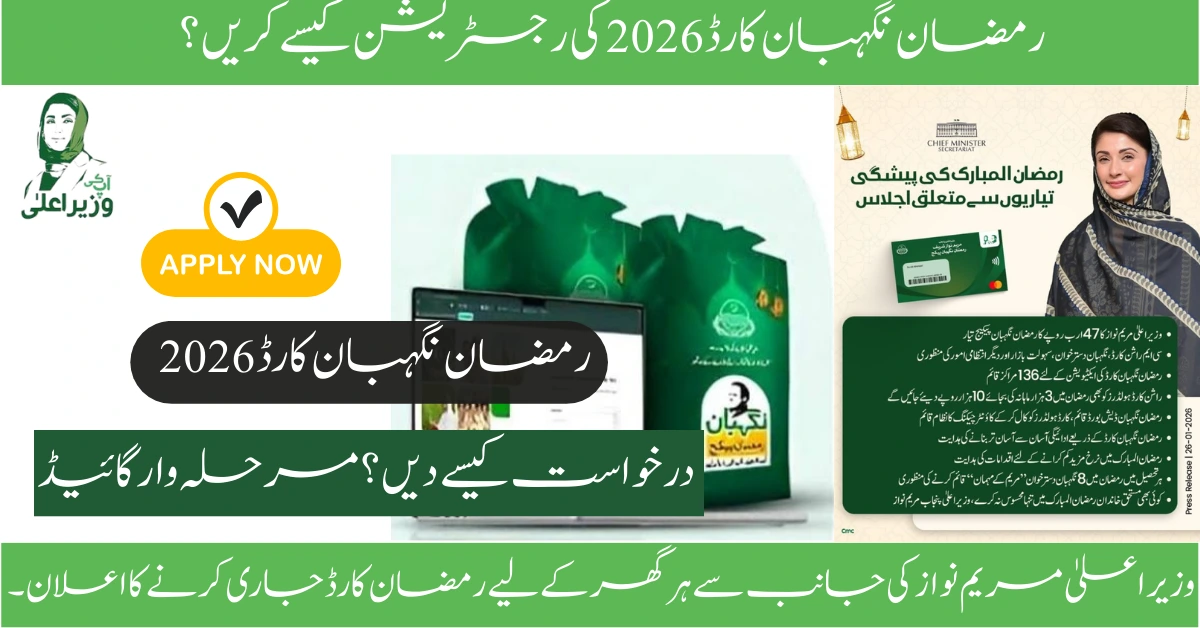
With Ramadan just weeks away and inflation squeezing family budgets, millions of Pakistani families are asking: “How to register for Ramzan Nigehban Card 2026?” The good news? Registration is simple and can be completed in just 10 minutes—either through your phone or online portal.
But here’s what confuses most people: Are you already registered? Do you need to register again? What if your CNIC has an error? And what happens after you submit your application?
This complete registration guide walks you through every step. We’ll show you exactly how to register for the Ramzan Nigehban Card 2026 online, via SMS, and in-person. You’ll learn the differences between new registration and data updates, troubleshoot common errors, and understand the exact timeline from registration to receiving your Rs. 10,000 in your hands. By the end, you’ll be registered and know exactly when to expect your card delivery.
Do You Need to Register? Check This First
This is crucial: Not everyone needs to register. Many families are already auto-included. Here’s how to find out which category you fall into:
Category 1: Already in PSER (Auto-Included – No Registration Needed)
You’re automatically registered if:
- You’ve received Maryam Nawaz Rashan Card before (Rs. 3,000/month)
- You participated in a PSER survey in 2024-2025
- You registered for any Punjab Government welfare program
- Your family was interviewed by government data collectors
What You Do:
- Send your 13-digit CNIC to 8070 via SMS (that’s it!)
- Wait for confirmation message within 24 hours
- You’re eligible—card will be delivered to your home
Timeline: Confirmation in 1 day, card delivery in 5-14 days
Category 2: NOT in PSER (New Registration Required)
You must register online if:
- You’ve never registered with PSER before
- You missed previous surveys
- You’re new to Punjab (migrated recently)
- Your family data is outdated (moved house, family changes)
What You Do:
- Complete full online registration at PSER portal (10-15 minutes)
- NADRA verification (7-14 days)
- SMS 8070 after verification for final confirmation
- Card delivery (14-21 days after verification)
Timeline: Registration to card in hand: 21-35 days (may miss early Ramadan distribution)
Important: If you’re unsure which category you’re in, send your CNIC to 8070. The SMS response will tell you: “Congratulations” (already registered) or “Please register online” (need new registration).
The Pre-Registration Checklist: Gather These Documents FIRST
Before you start online registration, gather these documents. Having them ready will speed up the process and prevent errors:
| Document | Why You Need It | Format | Notes |
|---|---|---|---|
| Valid CNIC (13-digit) | Identification & verification | Photo/digital | Must be non-expired; write down the full 13-digit number without dashes |
| Active Mobile Number | OTP verification & communication | Phone number registered on CNIC | VERY IMPORTANT: Mobile must be registered with your CNIC at NADRA |
| Family B-Forms (Children) | For dependent children | Original or digital photo | Bring for children under 21; optional but helps with registration |
| Utility Bill | Proof of residence in Punjab | Recent (last 3 months) | Can be electricity, gas, water, or landline bill |
| Recent Bank Statement | Proof of income (optional) | Bank statement for last 3 months | Only if your income isn’t verifiable through other means |
| Business License (If Self-Employed) | Proof of income | Original or copy | Required if you have a business, shop, or trade |
| Disability Certificate (If Applicable) | Priority consideration | Government hospital certificate | For disabled persons; helps with eligibility |
Pro Tip: Take photos of all these documents on your phone. You may not need to upload them, but having them handy will help if the system asks for verification.
How to Register for Ramzan Nigehban Card 2026 Online: Step-by-Step
Step 1: Visit the Official PSER Portal
Open your browser (on desktop or mobile—both work):
- Desktop: Go to https://pser.punjab.gov.pk
- Mobile: Same URL (website is mobile-friendly)
Security Alert: This is the ONLY official portal. Avoid:
- Fake URLs like “pser-gov.pk” or “pser.com.pk”
- WhatsApp group links claiming to be registration portals
- Facebook pages asking for money or OTP
- Any site asking you to pay for registration (it’s always FREE)
Step 2: Click “Register” or “New Registration”
On the homepage, you’ll see a menu. Look for:
- “Register New Family”
- “New Registration”
- “Apply for Nigehban Ramzan Package”
- Or a prominent “REGISTER NOW” button
Click on any of these options.
Step 3: Enter Your Basic Information
The system will ask you to provide:
A) Personal Identification:
- Full Name (exactly as written on your CNIC)
- 13-Digit CNIC Number (no dashes, just numbers)
- Example: If your CNIC is 35201-1234567-8, type as 3520112345678
- Gender (Male/Female)
- Date of Birth
- Marital Status (Single/Married/Widow/Divorced)
B) Contact Information:
- Active Mobile Number (must be registered with your CNIC)
- Alternate Mobile Number (optional)
- Email Address (optional but recommended for future updates)
C) Residential Address:
- District (dropdown menu)
- Tehsil/City (dropdown menu)
- Union Council (dropdown menu)
- Complete House Address
Important: The address must be in Punjab. If you list an address outside Punjab, you’ll be rejected.
Step 4: Family Information (The Most Important Section)
Now you’ll add information about your entire household:
First, You (Head of Family):
- Your occupation (e.g., “Daily wage laborer,” “Self-employed,” “Retired,” “Unemployed”)
- Monthly income (be honest—government has access to bank/tax records)
- Employment status (Employed/Self-Employed/Unemployed/Retired)
Then, Add All Family Members: For each person in your household:
- Full Name
- Relationship to you (Spouse, Child, Parent, Sibling, etc.)
- CNIC number (if they have one; children under 18 use B-Form number)
- Age
- Occupation (if they work)
- Income (if they earn)
- Education level
Accuracy Matters: Government officials verify this data. If you hide income or omit family members earning money, your application could be rejected or flagged for fraud.
Step 5: Household Assets & Living Conditions
The system will ask detailed questions about your living situation. Answer honestly—these determine your poverty score:
Housing:
- Do you own your house? (Own/Rented/Borrowed)
- House type (Permanent brick/Mud/Katchi/Semi-permanent)
- Number of rooms
- Do you own agricultural land?
- Do you own any vehicles? (Car/Motorcycle/Tractor/None)
Utilities:
- Do you have electricity? (Own meter/Shared/No)
- Water source (Piped/Well/Hand pump)
- Sanitation (Flush toilet/Outdoor/Shared)
- Do you have internet? (Yes/No)
Assets:
- Do you own a refrigerator?
- Do you own a TV?
- Do you own livestock? (Cattle/Goats/None)
- Do you have a mobile phone?
These questions determine your “PMT Score” (Poverty Means Test). Families with lower scores (more poverty indicators) get priority.
Step 6: Add Dependent Children (B-Form Information)
If you have children under 18, you can add them using B-Forms:
For Each Child, You’ll Need:
- B-Form number (13 digits, starts with “B”)
- Child’s full name
- Age
- Grade/Class in school
To Find B-Form Number:
- Check your child’s school admission form
- Visit your local NADRA office (free B-Form issuance)
- Ask at your Union Council
Important: Adding children doesn’t increase the Rs. 10,000 amount you receive, but it does verify household size and priority for other government programs.
Step 7: Select Your Preferred Payment Method
The system will ask: How do you want to receive your Rs. 10,000?
Choose one:
| Payment Method | How It Works | Best For |
|---|---|---|
| Nigehban ATM Card | Card delivered to your home; withdraw from ATM | Most people; safe & convenient |
| Direct Bank Transfer | Money sent to your bank account | Those with active bank account |
| Mobile Wallet | Money via JazzCash/Easypaisa | Those without ATM access |
| Biometric Collection | Collect in person with fingerprint | Those without bank/ATM access |
Recommendation: Select “Nigehban ATM Card” if unsure. It’s the safest and most widely available method.
Step 8: Review & Submit Application
Before clicking Submit:
- Review all information carefully
- Make sure your mobile number is correct (you’ll need it for OTP)
- Confirm your address is accurate
- Check that all family members’ names are spelled correctly
Click “Submit Application”
What You’ll See:
- “Application Submitted Successfully” message
- Application/Reference Number (screenshot this!)
- SMS confirmation on your registered mobile
Complete PSER Registration Timeline: What to Expect After Submission
Day 1-2: Initial Submission Confirmation
- You receive SMS: “Your Nigehban application has been received. Reference: [Number]”
- Status on portal: “Submitted – Under Review”
- Your action: Screenshot your reference number and save it
Day 3-7: NADRA Verification
- Government verifies your CNIC with NADRA records
- They cross-check your address and family information
- Status on portal: “Verification in Progress”
- Your action: Wait (don’t contact anyone yet)
Day 7-14: Data Cross-Checking
- Government verifies your income through:
- Bank records
- Tax files (FBR database)
- Utility bills
- Employer information
- Status on portal: “Data Verification Completed” or “Additional Information Required”
- Your action: If they ask for more info, provide it immediately
Day 14-21: Eligibility Determination
- Government decides: Eligible or Ineligible
- Status on portal: Shows eligibility result
- SMS notification: “Congratulations! You are eligible” OR “We regret to inform you…”
- Your action: If eligible, send CNIC to 8070 for final confirmation
Day 21-35: Card Printing & Delivery
- Nigehban ATM card is printed with your name
- Card is delivered to your address (door-to-door)
- Or you receive SMS with collection instructions
- Status on portal: “Card Issued” or “Awaiting Collection”
- Your action: Receive card, activate it at any BOP ATM or center
Fastest Method: Register via SMS (For Those Already in PSER)
If you’re already in the PSER system and just need final confirmation, SMS is fastest:
Step 1: Open SMS on your phone
Step 2: Type your 13-digit CNIC number (no dashes, just numbers)
- Example: 3520112345678
Step 3: Send to: 8070 (or try 8171 if 8070 doesn’t work)
Step 4: Wait for response (usually within 30 minutes)
Possible Responses:
| Response | Meaning | Your Action |
|---|---|---|
| “Congratulations! You are eligible for Nigehban Ramzan Package 2026. Your card will be delivered to your address.” | ✅ ELIGIBLE | Sit back and wait for card delivery |
| “We regret to inform you that you are not eligible. Reason: Vehicle registered in your name.” | ❌ INELIGIBLE | Check reasons; visit UC if data is wrong |
| “Your data is being verified. Please wait.” | ⏳ PENDING | SMS again in 3 days |
| “You are not found in the system. Please register online.” | ❓ NOT REGISTERED | Must do full PSER online registration |
This SMS method takes 2 minutes and is the fastest confirmation method.
Online Registration vs. SMS Registration: What’s the Difference?
| Aspect | SMS Method (8070) | Online Registration (PSER Portal) |
|---|---|---|
| Time Required | 2 minutes | 15-20 minutes |
| Who Uses It | Those already in PSER system | New registrants; those updating data |
| Information Needed | Just CNIC number | Full household details |
| Verification Wait | 24 hours for confirmation | 7-14 days (more thorough) |
| Best For | Quick eligibility check if already registered | Comprehensive household registration |
| Fastest to Approval | Yes, if already eligible | No, takes longer |
| Detailed Form | No form needed | Complete PSER form |
Choose SMS if: You’ve received government assistance before Choose Online if: You’re registering for the first time
Common Registration Errors & How to Fix Them
Error 1: “This CNIC is Already Registered”
Why It Happens: Your CNIC was auto-registered through previous welfare programs
How to Fix:
- Send CNIC to 8070 (don’t register again)
- Get confirmation of eligibility
- Do NOT submit a duplicate registration
Lesson: Check SMS 8070 first before doing full online registration
Error 2: “Mobile Number Does Not Match CNIC”
Why It Happens: Your phone number isn’t registered with NADRA against your CNIC
How to Fix:
- Visit any NADRA office
- Update your CNIC with the correct mobile number (free)
- Wait 24 hours for update to reflect in system
- Retry registration
Prevention: Before registering, verify your CNIC matches your current mobile number
Error 3: “Address Not in Punjab”
Why It Happens: You entered an address outside Punjab province
How to Fix:
- Go back to address section
- Select correct Punjab district
- Enter correct Punjab address
- If you recently moved to Punjab, update your CNIC address first at NADRA
Note: Nigehban is Punjab-only; federal programs 9999 may cover other provinces
Error 4: “Income Exceeds Threshold”
Why It Happens: You reported income above Rs. 45,000-60,000 per month
How to Fix:
- This likely makes you ineligible
- However, visit your Union Council with:
- Bank statements showing lower actual income
- Employment letter showing lower salary
- Recent tax returns proving lower income
- UC staff can manually review and possibly override the system
Error 5: “Vehicle Registered in Your Name”
Why It Happens: Government records show you own a registered vehicle
How to Fix:
- If you sold the vehicle:
- Complete official transfer at Excise office
- Wait 15 days for system update
- Retry registration
- If the vehicle is someone else’s:
- Get a notarized affidavit stating it’s not yours
- Submit to your Union Council
- They can mark it as an error
Error 6: “OTP Not Received”
Why It Happens: SMS didn’t arrive (network issue, wrong number, or NADRA mismatch)
How to Fix:
- Check if you entered the correct mobile number
- Make sure the mobile is registered on your CNIC
- Request OTP again (usually a “Resend OTP” button)
- If still not working:
- Visit any telecom office (Jazz, Zong, Telenor, Ufone) with CNIC
- Get a letter confirming your number matches your CNIC
- Return to registration and try again
Error 7: “This Family Is Already Receiving Federal Assistance (BISP)”
Why It Happens: Your family is listed in BISP (Benazir Income Support Program)
How to Fix:
- Permanently ineligible for Nigehban if BISP recipient
- You get BISP’s Rs. 13,500 quarterly (which is more than Nigehban’s Rs. 10,000)
- Government avoids dual payments to prevent fraud
Alternative: Check if you’re eligible for other programs like Rashan Card instead
Data Update vs. New Registration: Critical Difference
Many people make this mistake: They do a full new registration when they only need a data update.
When You Need Data UPDATE (Existing Registrants):
You already received government assistance before AND want to:
- Correct a wrong phone number
- Update your current address (you moved)
- Add missing family members
- Update income information
What to Do:
- Send CNIC to 8070
- Get confirmation of current registration
- Visit your local Union Council
- Ask UC staff to update your data (free)
- Wait 7 days for update
- SMS 8070 again for confirmation
When You Need NEW REGISTRATION (First Time):
You’ve never registered with PSER before AND:
- Never received Rashan Card
- Never applied for any government welfare
- Never been surveyed
What to Do:
- Complete full online registration at pser.punjab.gov.pk
- Fill every field carefully
- Submit
- Wait for verification (7-14 days)
- You’ll be contacted with results
Key Difference: Don’t register twice! Duplicate registrations cause rejections.
After Registration: Tracking Your Application Status
Method 1: Online Portal Status Check (Most Detailed)
- Go to https://pser.punjab.gov.pk
- Click “Check Status”
- Enter your CNIC number
- Enter your registered mobile number
- System shows:
- Registration status (Submitted/Verified/Approved)
- Your PMT score
- Eligibility decision
- Card issuance status
- Estimated delivery date
Method 2: SMS Status Check (Fastest)
Send: Your 13-digit CNIC to 8070
You’ll get a response showing your eligibility status and card delivery date.
Method 3: Union Council Visit (In-Person)
Visit your local Union Council office:
- Bring your original CNIC
- Ask staff to check your PSER registration status
- They’ll provide details and answer questions
- If there are errors, they can make corrections
Method 4: Toll-Free Helpline
Call: 0800-02345 (toll-free, all networks)
Available during business hours (9 AM to 5 PM)
Wait times: 10-20 minutes depending on volume
What They Can Help With:
- Status updates
- Error explanations
- Data correction requests
- Card delivery inquiries
Step-by-Step Guide to Collection & Activation After Registration
Once you receive your Nigehban Card, you’re not quite done—you need to activate it:
Option 1: ATM Activation (Easiest)
Step 1: Receive your Nigehban Card at home
Step 2: Go to any Bank of Punjab (BOP) ATM or 1-Link ATM in your area
Step 3: Insert the card and follow prompts:
- Create a 4-digit PIN
- Confirm PIN
- Transaction complete
Step 4: Withdraw your Rs. 10,000
Timeline: Activation instant; money available immediately
Option 2: Bank Branch Activation
If your area doesn’t have ATMs:
Step 1: Visit nearest Bank of Punjab branch
Step 2: Bring:
- Nigehban Card
- Your CNIC
- Your registered mobile phone
Step 3: Tell staff: “I want to activate my Nigehban Card”
Step 4: Provide biometric (thumbprint) for verification
Step 5: They’ll activate and you can withdraw Rs. 10,000
Timeline: 15-20 minutes in branch
Option 3: Activation Center (136 Centers in Punjab)
If you prefer dedicated centers:
Find nearest center:
- Visit pser.punjab.gov.pk
- Search for “activation centers near me”
- Locations in every tehsil
What to Bring:
- Nigehban Card
- CNIC
- Mobile phone (may need to receive OTP)
Timeline: 10-15 minutes
Security Warning: Protect Yourself from Scams
Government NEVER:
- Asks for OTP via phone or SMS (except official 8070)
- Requests passwords or PIN numbers
- Demands money for registration
- Calls asking for bank account details
- Sends emails asking to verify information
Scam Alert Signs:
- Unknown WhatsApp groups claiming to be “PSER officials”
- Messages saying “Congratulations! Click here to claim your card”
- Websites asking you to pay Rs. 500-2,000 for “fast processing”
- Fake Facebook pages impersonating government
- People offering to register you “on behalf of government” (for money)
If You’re Contacted by Scammers:
- Don’t respond
- Block the number/account
- Report to local police
- Report to PSER helpline: 0800-02345
Safe Sources ONLY:
- Official PSER portal: pser.punjab.gov.pk
- SMS 8070 (government number)
- Local Union Council office
- Bank of Punjab branches
- Toll-free helpline: 0800-02345
FAQ
What if I don’t have an active internet connection to register online?
If you can’t access internet at home, you have three options: (1) Visit your nearest Union Council office—they have internet and staff can help you register for free, (2) Go to any cyber cafe or internet shop and do online registration there (costs Rs. 20-50), or (3) Use your mobile phone’s data (if you have a data package) to register through the PSER website mobile version. The mobile website is optimized for slow internet, so it works on 3G.
I already received Rashan Card. Do I need to register again for Nigehban Card?
No, you do NOT need to register again. If you’re already receiving Maryam Nawaz Rashan Card (Rs. 3,000 monthly), you’re automatically eligible for Nigehban Card. Simply send your CNIC to 8070 and confirm your eligibility. During Ramadan, your Rs. 3,000 Rashan Card will be upgraded to Rs. 10,000 Nigehban Card temporarily.
What’s my 13-digit CNIC number? I have a 17-digit number.
Your 13-digit CNIC is the unique identification number without the check digits. For example, if your CNIC is 35201-1234567-8, your 13-digit number is 3520112345678 (just the numbers without dashes). The “35201” is your birth year and region, “1234567” is your serial number, and “8” is the check digit (not counted in the 13-digit total for registration purposes). To be safe, write your full CNIC number exactly as it appears on your card.
Can I register if I don’t have a valid CNIC yet?
No, you need a valid 13-digit CNIC from NADRA for registration. If you don’t have one yet, visit your nearest NADRA office immediately—it’s free and can be issued within 2-3 days. If you have a B-Form (for children under 18), that’s not sufficient for the primary applicant; you must have an adult CNIC.
Why was my registration rejected even though I thought I was eligible?
Common rejection reasons are: (1) Vehicle registered in your name, (2) Income exceeds threshold, (3) Family member living abroad, (4) You’re already receiving BISP, (5) PMT score above 30%, or (6) Government employment. To appeal, visit your Union Council with documents proving your situation has changed (e.g., vehicle sold, family member returned). They’ll assist with re-survey or data correction.