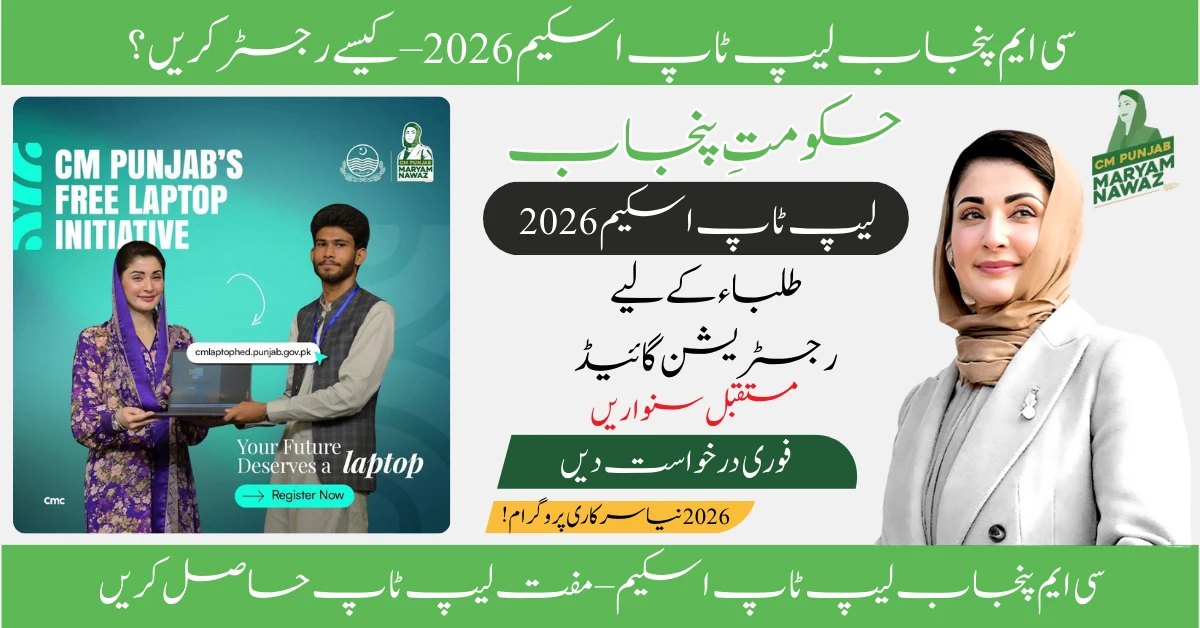
If you’re a student in Punjab searching for “How to register for CM Punjab Laptop Scheme 2026?”, you’ve found the most comprehensive and accurate registration guide available. The CM Punjab Laptop Scheme has reopened applications for 2026, offering over 100,000 free laptops to deserving students across public sector universities, colleges, and technical institutes.
This guide provides everything you need to successfully complete your registration: the exact step-by-step application process on the official portal, complete eligibility requirements, required documents with upload specifications, common mistakes that lead to rejection, and how to track your application status after submission. Whether you’re applying for the first time or were rejected previously, this article will ensure you submit a flawless application before the February 15, 2026 deadline.
Understanding the CM Punjab Laptop Scheme 2026
The Chief Minister Punjab Laptop Scheme is a flagship educational initiative launched by the Punjab government to empower students with digital tools necessary for modern education. In 2026, the program has been significantly expanded with improved specifications, increased quota, and a more transparent merit-based selection system.
Key Features of the 2026 Phase
- Increased Quota: Over 100,000 laptops will be distributed (up from 75,000 in 2025)
- Enhanced Specifications: Latest Core i7 13th Generation processors with 8GB RAM and 512GB SSD
- Transparent Merit System: Fully automated, NADRA-verified selection process
- 10% Disability Quota: Reserved seats for students with disabilities
- Extended Eligibility: Now includes students from technical and vocational institutes
- Online Registration Only: No physical forms or office visits required
Eligibility Criteria: Can You Apply?
Before starting your registration, verify that you meet all of these mandatory requirements. Missing even one criterion will result in automatic rejection.
Primary Eligibility Requirements
1. Institutional Enrollment
- Must be enrolled in a public sector university, college, or technical/vocational institute in Punjab
- Private institutions are NOT eligible (this is the most common source of confusion)
- Institution must be recognized by HEC or Punjab Higher Education Department
- Distance learning programs are excluded
2. Domicile Requirement
- Must possess a valid Punjab domicile certificate
- Domicile district must match your CNIC or family B-Form
- Out-of-province students studying in Punjab are not eligible
3. Academic Performance
- Minimum 70% marks or equivalent CGPA in last annual examination (semester system)
- Minimum 60% marks for annual examination system
- This applies to your most recent academic result
4. Attendance Requirement
- Minimum 75% attendance in the current academic year
- Verified through your institution’s records
- Medical certificates for extended absence must be authenticated
5. Age & Citizenship
- Pakistani national with valid CNIC or B-Form
- Age limit: Typically 17-30 years (varies by degree level)
Who is NOT Eligible?
❌ Students in private universities or colleges ❌ Students who already received a laptop under any federal or provincial scheme ❌ Distance learning or correspondence program students ❌ Students from provinces other than Punjab ❌ Foreign nationals (except AJK students in some cases) ❌ Students with less than required marks or attendance ❌ Students who have completed their degree before distribution
Required Documents Checklist
Gather these documents before starting your registration. All uploads must be clear, properly scanned, and in the specified format.
Mandatory Documents
| Document | Specifications | File Type & Size |
|---|---|---|
| Valid CNIC or B-Form | Front and back, not expired | JPG/PNG, max 500KB each |
| Recent Passport Photo | White background, front-facing, clear | JPG/PNG, max 200KB |
| Last Academic Result | Mark sheet or transcript with university seal | PDF/JPG, max 1MB |
| Enrollment Proof | Student card or enrollment letter | PDF/JPG, max 500KB |
| Domicile Certificate | Punjab domicile, clearly readable | PDF/JPG, max 500KB |
| Attendance Certificate | Issued by institution showing 75%+ | PDF, max 500KB |
Optional Documents (If Applicable)
- Disability Certificate: From DHQ hospital (for 10% quota applicants)
- Fee Challan: Recent semester fee payment receipt
- Character Certificate: From institution head (sometimes required)
Critical Notes:
- Scan all documents in 300 DPI or higher for clarity
- Ensure no watermarks or stamps obscuring critical information
- File names should be simple (avoid special characters)
- Documents in Urdu must be equally legible as English
How to Register for CM Punjab Laptop Scheme 2026: Complete Process
Now that you’ve verified eligibility and gathered documents, follow this exact step-by-step process. The registration is 100% online through the official portal.
Step 1: Access the Official Registration Portal
CRITICAL: Use only the official website to avoid scams.
- Official Portal: https://cmlaptophed.punjab.gov.pk
- Alternative (verify first): laptop.punjab.gov.pk
How to Verify You’re on the Real Portal: ✅ URL ends with .gov.pk (not .com, .pk, or .net) ✅ Has HTTPS security (lock icon in browser) ✅ Displays official Punjab government branding ✅ No payment or fee is requested anywhere
Step 2: Create Your Account (New Applicants)
- On the homepage, click “Register Now” or “Sign Up”
- You’ll be asked to provide:
- CNIC number (13 digits without dashes) OR B-Form number
- Active mobile number (registered in your name)
- Active email address (check spelling carefully)
- Create password (minimum 8 characters, mix of letters, numbers, symbols)
- Click “Send OTP” or “Verify”
- Check your mobile for a 6-digit verification code
- Enter the OTP within 5 minutes
- Check your email inbox (and spam folder) for email verification link
- Click the email verification link to activate your account
Troubleshooting:
- OTP not received? Wait 2-3 minutes, check signal, try resend. Ensure mobile is registered in your CNIC name.
- Email not verified? Check spam/junk folder. Use Gmail or Outlook for best results.
Step 3: Login to Your Dashboard
- Return to the portal homepage
- Click “Login” or “Sign In”
- Enter your registered email/mobile and password
- Complete any security captcha if prompted
- You’ll land on your personal dashboard
Step 4: Fill Personal Information Section
Click “Start Application” or “Apply Now”. You’ll see multiple sections:
Personal Details:
- Full name (exactly as per CNIC/B-Form)
- Father’s name (as per CNIC)
- Date of birth
- Gender
- CNIC/B-Form number (auto-filled from registration)
- Contact information (mobile, email — auto-filled)
- Current residential address (district, tehsil, city, postal code)
Important: Every field marked with * is mandatory. Use EXACT spelling from your CNIC.
Step 5: Fill Academic Information Section
Educational Details:
- Name of your institution (select from dropdown)
- If your institution doesn’t appear: Contact portal helpline immediately
- Department/Faculty (Engineering, Medical, Arts, Sciences, etc.)
- Degree program (BS, BA, BSc, BBA, etc.)
- Current semester/year
- Student registration number or roll number
- Date of admission
Academic Performance:
- Last exam marks percentage or CGPA
- Total marks or GPA scale
- Examination year
- Board/University name
Attendance:
- Current year attendance percentage
- Classes attended vs total classes
Step 6: Upload Required Documents
Click “Upload Documents” section. For each document:
- Select the document type from dropdown
- Click “Choose File” or “Browse”
- Select the scanned file from your computer/phone
- Wait for upload confirmation (green checkmark)
- Preview the uploaded document to verify clarity
Upload Tips:
- Upload documents one by one (don’t rush)
- Wait for each upload to complete before moving to next
- If upload fails, check file size and format
- Use WiFi for faster, more stable upload
Step 7: Review and Declaration
- Click “Review Application”
- Carefully check ALL information displayed
- Verify uploaded documents are correct and clear
- Read the declaration statement
- Check the box: “I declare that all information provided is true and correct”
- Acknowledge penalties for false information
CRITICAL CHECK:
- Is your name spelled exactly like your CNIC?
- Is your mobile number correct?
- Are all documents clearly visible?
- Did you select the correct institution?
Step 8: Submit Application
- Click “Submit Application” or “Final Submit”
- You may be asked to confirm submission again
- Wait for submission processing (can take 30-60 seconds)
- DO NOT refresh or close the browser during this time
Step 9: Save Your Tracking Details
After successful submission:
✅ Application Reference Number will appear on screen — WRITE THIS DOWN ✅ You’ll receive confirmation SMS on registered mobile ✅ Confirmation email will be sent with tracking ID ✅ Download/screenshot your submission receipt
Keep these details safe. You’ll need them to track status.
After Submission: What Happens Next?
Understanding the verification and selection timeline helps manage expectations.
Application Processing Timeline
| Phase | Duration | What Happens |
|---|---|---|
| Application Submission | Till Feb 15, 2026 | Students submit online applications |
| Initial Verification | Feb 16-28, 2026 | NADRA CNIC verification, duplicate check |
| Document Review | Mar 1-15, 2026 | Uploaded documents verified by committee |
| Institutional Verification | Mar 16-31, 2026 | Academic records verified with institutions |
| Merit List Preparation | April 1-10, 2026 | Final shortlisting based on marks and criteria |
| Merit List Announcement | Mid-April 2026 | Selected students notified via SMS/email |
| Laptop Distribution | May-June 2026 | District-wise distribution ceremonies |
How to Track Application Status
Method 1: Portal Login
- Login to your dashboard at cmlaptophed.punjab.gov.pk
- View current application status
- Check any pending document requests
Method 2: SMS Tracking
- Send your CNIC number to designated helpline number (announced on portal)
- Receive automated status reply
Method 3: Email Updates
- Automatic updates sent to registered email at each stage
Possible Status Messages:
- Submitted — Application received successfully
- Under Verification — Being processed
- Documents Required — Additional documents requested
- Shortlisted — You’re on the merit list (Congratulations!)
- Rejected — Did not meet criteria (reason will be stated)
Common Mistakes That Lead to Rejection
Learn from others’ errors to avoid application rejection:
Top 10 Registration Mistakes
1. Wrong Institution Selection
- Mistake: Selecting “Punjab University” when you’re in an affiliated college
- Solution: Select your exact college/campus name from dropdown
2. Expired CNIC/B-Form
- Mistake: Uploading expired identity documents
- Solution: Renew at NADRA before applying
3. Private Institution Students Applying
- Mistake: Private university students trying to apply
- Solution: This scheme is PUBLIC SECTOR ONLY — don’t waste time if you’re in private
4. Unclear Document Scans
- Mistake: Blurry photos taken in poor lighting
- Solution: Use scanner app or scan documents at a photocopy shop
5. Incorrect Marks Calculation
- Mistake: Calculating CGPA to percentage incorrectly
- Solution: Use official formula: (CGPA/4.0) × 100 = Percentage
6. Already Received Laptop
- Mistake: Applying despite receiving PM or previous CM laptop
- Solution: You’re permanently ineligible if you got laptop before
7. Attendance Below 75%
- Mistake: Applying with 70% attendance hoping it won’t be checked
- Solution: It WILL be verified with your institution — be honest
8. Multiple Applications
- Mistake: Registering with different emails thinking it improves chances
- Solution: Duplicate CNICs are automatically flagged and rejected
9. Incomplete Application
- Mistake: Saving as draft but forgetting to submit
- Solution: Ensure you see final “Submission Successful” message
10. Missing Deadline
- Mistake: Waiting till February 15 night when portal crashes
- Solution: Apply at least 3-5 days before deadline
Important Deadlines and Dates 2026
Registration Opens: January 10, 2026 Registration Closes: February 15, 2026 (11:59 PM) Merit List Announcement: Mid-April 2026 Distribution Ceremony: May-June 2026
WARNING: Do NOT wait for the last day. Portal traffic on deadline day causes slowdowns and crashes. Apply early!
Frequently Asked Questions (FAQs)
Conclusion
Now you know exactly how to register for CM Punjab Laptop Scheme 2026 through the official portal. This scheme represents more than just a free laptop — it’s an investment in your educational and professional future, giving you access to digital learning, research tools, and skill development platforms that can transform your academic journey.
With the February 15, 2026 deadline approaching fast, don’t delay your application. Follow this step-by-step guide carefully, gather all required documents, ensure your marks and attendance meet the criteria, and submit your application well before the deadline to avoid last-minute technical issues.