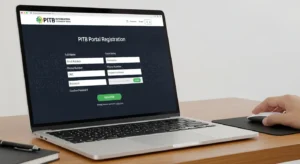

The CM Punjab Loan Scheme 2026, officially known as the Asaan Karobar Loan Scheme, is one of Pakistan’s most accessible and beneficial government financing initiatives for entrepreneurs and self-employed citizens. If you’re asking how to apply for CM Punjab Loan Scheme 2026, this comprehensive guide provides everything you need to successfully complete your application for interest-free business loans up to PKR 1 million (or up to PKR 30 million for larger enterprises).
The 2026 version features digital verification through NADRA-linked CNIC, faster approval timelines, and completely online registration through the official PITB portal at akc.punjab.gov.pk. Whether you’re a shopkeeper, technician, farmer, or small business owner needing capital to start or expand your business, understanding CM Punjab Loan Scheme 2026 application process is your first step toward financial independence.
This article covers complete eligibility criteria, required documents, step-by-step online application instructions, what happens after you apply, and pro tips to maximize your approval chances.
What is the CM Punjab Loan Scheme 2026?
Program Overview
The CM Punjab Loan Scheme 2026 is a government-backed interest-free financing initiative designed to empower small and medium entrepreneurs across Punjab. Launched under the leadership of Chief Minister Maryam Nawaz Sharif, the scheme represents a commitment to economic growth through accessible entrepreneurship financing.
Key Objectives:
- Empower entrepreneurs – Support people with business ideas but lack capital
- Create employment – Enable job creation through new and expanded businesses
- Economic growth – Boost provincial economic development and exports
- Financial inclusion – Provide affordable financing to rural and semi-urban entrepreneurs
- Reduce inequality – Give low-income people equal business opportunities
Loan Tiers:
Tier 1: Small Entrepreneurs
- Loan amount: Up to PKR 1 million (10 Lakh)
- Personal guarantee required
- Suitable for: Shopkeepers, technicians, skilled workers, small traders
- No collateral required (except personal guarantee)
Tier 2: Medium Enterprises
- Loan amount: PKR 5 million to PKR 30 million (5 Crore)
- Collateral/guarantor required
- Suitable for: Existing SMEs, manufacturing, larger businesses
- Annual sales up to PKR 800 million
Key Features:
✓ 100% Interest-Free – No markup, no profit charges ✓ Transparent Usage – Funds restricted to business purposes only ✓ Digital Monitoring – Real-time tracking of fund utilization ✓ Grace Period – 6 months for startups, 3 months for existing businesses ✓ Long Repayment – Up to 5 years (60 monthly installments) ✓ Completely Online – No physical office visits required ✓ Quick Processing – Digital NADRA verification ensures fast decisions
Complete Eligibility Criteria for CM Punjab Loan Scheme 2026
Who Can Apply
Essential Requirements (ALL Must Be Met):
Citizenship & Residency: ✓ Pakistani citizen with valid CNIC ✓ Permanent resident of Punjab (must have Punjab domicile certificate) ✓ Age 25-55 years for business loans (18-35 for Parwaaz Card variant) ✓ Clean criminal record (no criminal convictions)
Business/Income Requirements: ✓ Running existing business OR have viable business plan for startup ✓ Clean credit history (no history of loan defaults) ✓ Active taxpayer (FBR registration) OR eligible for registration ✓ Business premises in Punjab (shop, office, or manufacturing unit)
Financial Standing: ✓ Able to provide personal guarantee for Tier 1 loans ✓ For Tier 2: Must provide collateral or strong guarantor ✓ No existing default with government-backed schemes ✓ Financially solvent and able to repay loan
Education & Knowledge: ✓ Minimum education: 8th grade (Matric preferred) ✓ Basic understanding of business operations ✓ Ability to manage digital platform and online tracking
Who is NOT Eligible
✗ Government employees (federal, provincial, or local) ✗ Military/police/security personnel ✗ Individuals with criminal record ✗ Those with active loan defaults in other schemes ✗ Non-Punjabi residents (must be permanent Punjab resident) ✗ Those involved in illegal business ✗ Individuals with pending legal cases
Required Documents for CM Punjab Loan Scheme 2026
Complete Documentation Checklist
Prepare these documents BEFORE starting your online application:
Personal Identification Documents: □ Original CNIC (valid, not expired) – both sides scanned/photographed □ CNIC digital copy (JPG or PDF format, clear and readable) □ B-Form or Passport (if CNIC unavailable, though not preferred) □ Domicile Certificate (proves Punjab residency)
Business Documentation: □ Business registration certificate (SECP, if registered company) □ Tax registration number (NTN) or application proof □ FBR Active Taxpayer List (ATL) confirmation □ Business premises proof (rent deed or ownership document) □ Business license (municipal or trade body) □ NIC code proof (National Industrial Classification)
Financial Documentation: □ Bank account statements (last 6 months showing business transactions) □ Income tax return (if filed) □ Business balance sheet (if applicable) □ Utility bills (electricity, water) showing business address
For Startups Specifically: □ Business plan (2-3 page document outlining business idea) □ Market research or feasibility study □ Personal CV/resume □ Proof of relevant skills/training
For Tier 2 Loans (PKR 5M+): □ All above documents PLUS □ Property documents (if using as collateral) □ Guarantor’s CNIC and documents (if using guarantor) □ Financial statements (last 2-3 years) □ Audited accounts (if applicable)
Additional Supporting Documents: □ Photograph (recent, 4×6 size or digital copy) □ Mobile phone number (active, registered to CNIC) □ Email address (for notifications) □ Bank account details (branch code, account number, account holder name)
Document Preparation Tips:
- Scan all documents in clear JPG or PDF format
- Ensure all text is legible and readable
- File size should not exceed 5MB each
- Keep originals safe for verification stage
- Double-check all details match your CNIC
Step-by-Step: How to Apply for CM Punjab Loan Scheme 2026
Step 1: Visit the Official Portal
The application process is completely online through the official government portal:
Official Portals:
- PITB Portal: akc.punjab.gov.pk (most common)
- Alternative: Punjab Information Technology Board portal
- Mobile App: Available on iOS/Android (search “Asaan Karobar” or “CM Punjab Loan”)
Before You Start:
- Ensure you have stable internet connection
- Use a computer or smartphone with updated browser
- Have all documents ready and scanned
- Set aside 30-45 minutes for complete registration
- Ensure your mobile and email are active and monitored
Step 2: Register Your Account
Account Creation:
- Visit akc.punjab.gov.pk (or official PITB link)
- Click “New Registration” or “Sign Up”
- Enter Your CNIC
- Input your 13-digit CNIC number
- System verifies against NADRA database
- Wait for confirmation (usually instant)
- Create Login Credentials
- Email address (must be active and monitored)
- Mobile number (must be Pakistan-based, active)
- Password (minimum 8 characters, mix of letters/numbers/symbols)
- Confirm password
- Verify Your Identity
- Receive OTP (One-Time Password) via SMS
- Enter OTP in the verification field
- Alternatively, click email verification link
- Account now active
- Login to Your Dashboard
- Use your CNIC and password
- You’re now in your personal portal
- See application options and status tracking
Step 3: Complete Personal Information
In your dashboard, fill in complete personal details:
- Basic Information
- Full name (must exactly match CNIC)
- Father’s name
- Date of birth
- Gender
- CNIC issue date and expiry date
- Marital status
- Contact Information
- Primary mobile number
- Secondary mobile number (optional)
- Email address (critical for notifications)
- Mailing address
- Permanent address (as per CNIC)
- Current address (if different)
- Residency & Location
- Punjab domicile (confirm district)
- Domicile certificate details
- City/area of residence
- Business location (if different)
- Emergency Contact
- Name of emergency contact
- Relationship to you
- Contact number
Step 4: Enter Business Information
Provide detailed business details:
For Existing Businesses:
- Business Details
- Business name (exact legal name)
- Type of business (retail, manufacturing, services, etc.)
- Business registration number (if registered)
- NTN (National Tax Number)
- Years in operation
- Business Nature
- Primary business activity (select from dropdown)
- Secondary activities (if any)
- Number of employees
- Annual sales/revenue (approximate)
- Business Location
- Complete business address
- Street, building number, area
- City and district
- Shop/factory rent amount (monthly)
- Proof of business premises (upload deed or rent document)
For Startups:
- Business Plan
- Describe your business idea (200-500 words)
- What product/service you’ll offer
- Target market
- How you’ll make profit
- Why you need this loan
- Startup Details
- Expected business location
- Initial capital needed
- How you’ll use the loan amount
- Expected monthly revenue
- Your Qualification
- Education level
- Previous experience in this field
- Training/skills certification
- Why you’re suited for this business
Step 5: Upload Required Documents
Document Upload Section:
- CNIC Upload
- Front side of CNIC (clear photo/scan)
- Back side of CNIC (clear photo/scan)
- Format: JPG, PNG, or PDF
- File size: Max 5MB each
- All information must be readable
- Domicile Upload
- Scanned copy of domicile certificate
- Ensure domicile is Punjab
- Clear and legible
- Not expired
- Business Documentation Upload
- Business registration (if available)
- Business license
- Tax documents (NTN or FBR proof)
- Trade body registration
- Financial Documentation Upload
- Bank statements (last 6 months)
- Income tax return (if filed)
- Business financial record
- Proof of business transactions
- Supporting Documents Upload
- Business premises proof (rent deed or ownership)
- Recent photograph (JPG, 4×6 or smaller)
- Any other relevant documents
Upload Tips:
- Ensure all scans are clear and legible
- All text must be readable (not blurry or dark)
- Use scanner app for better quality (CamScanner, Adobe Scan)
- Upload during stable internet to avoid interruption
- Wait for “Uploaded Successfully” confirmation for each file
Step 6: Select Loan Amount and Purpose
Specify Your Loan Requirements:
- Choose Loan Tier
- Tier 1: Up to PKR 1 million (Unsecured, personal guarantee)
- Tier 2: PKR 5-30 million (Secured, collateral required)
- Select Loan Amount
- For Tier 1: Choose amount between 50,000 to 1,000,000
- For Tier 2: Choose between 5 million to 30 million
- Higher amounts require stronger justification
- Specify Loan Purpose
- Select primary purpose from options: ✓ Equipment purchase ✓ Shop/office setup ✓ Raw materials ✓ Tools and machinery ✓ Working capital ✓ Business expansion ✓ Inventory
- Loan Repayment Plan
- Choose repayment period (typically 12-60 months)
- System calculates monthly installment
- Note: No interest, just principal repayment
- Monthly payment shown for your review
- Financial Projection
- Justify why you need this loan amount
- Explain how it will benefit your business
- Project expected return on investment
- Show monthly profit expectation
Step 7: Guarantor/Collateral Information (For Larger Loans)
For Tier 2 or high Tier 1 amounts:
Option 1: Personal Guarantor
If using a guarantor:
- Guarantor’s CNIC – Must be different person
- Guarantor’s Name and Details
- Guarantor’s Relationship to You
- Guarantor’s Contact Information
- Guarantor’s Financial Standing – Proof of stability
Option 2: Collateral/Property
If using property as security:
- Property Details – Address, type, size
- Property Document – Deed, title, or ownership proof
- Property Valuation – Estimated market value
- Property Location – Must be in Punjab
- Bank’s Appraisal – Will be done after submission
Step 8: Review and Submit
Final Review:
- Review All Information
- Check spelling of your name
- Verify CNIC matches exactly
- Confirm business details are accurate
- Ensure loan amount is correct
- Check email and phone numbers
- Confirm Declaration
- Usually portal requires you to declare: “I confirm that all information provided is true”
- Read terms and conditions
- Accept digital agreement terms
- Digitally sign (using CNIC)
- Click “Submit Application”
- System processes your submission
- Wait for confirmation page
- Take screenshot of confirmation
- Save Your Reference Number
- Portal provides unique reference/case number
- This is critical for tracking
- Note it down or screenshot it
- You’ll receive confirmation email too
Step 9: Application Status Tracking
After Submission:
Immediate (Within Minutes): ✓ Confirmation page appears ✓ Email confirmation sent ✓ SMS confirmation to your phone ✓ Reference number provided
Days 1-3: Initial Processing ✓ NADRA CNIC verification (automatic) ✓ Basic eligibility check ✓ Document quality review ✓ Status changes to “Under Review”
Days 3-7: Verification ✓ Bank contacts you for clarification (if needed) ✓ Business premises verification may be conducted ✓ Financial documents reviewed ✓ Status updates sent via SMS/email
Days 7-14: Approval Decision ✓ Final approval/rejection decision ✓ You receive notification ✓ Status changes to “Approved” or “Rejected” ✓ If approved, further instructions provided
How to Check Status:
- Login to Portal
- Visit akc.punjab.gov.pk
- Login with CNIC and password
- Go to “Application Status”
- See current status and timeline
- Check via CNIC
- Some portals allow status check using just CNIC
- Enter CNIC, see application history
- View all submitted applications
- Phone/SMS Updates
- Automatic SMS sent at each stage
- Bank may call for clarification
- Use reference number when calling
Comparison Table: CM Punjab Loan Scheme Tiers
| Feature | Tier 1 (Small) | Tier 2 (Medium) |
|---|---|---|
| Loan Amount | Up to PKR 1 Million | PKR 5M – 30M |
| Interest Rate | 0% (Interest-Free) | 0% (Interest-Free) |
| Repayment Period | 12-60 months | Varies (typically 60-120 months) |
| Grace Period | 6 months (startups), 3 months (existing) | 6 months (startups), 3 months (existing) |
| Security Required | Personal guarantee only | Collateral/property OR guarantor |
| Ideal For | Shopkeepers, technicians, small traders | Existing SMEs, manufacturing, larger ventures |
| CNIC Requirement | Yes, valid and non-expired | Yes, valid and non-expired |
| Age Requirement | 25-55 years | 25-55 years |
| Domicile Requirement | Punjab domicile (proof required) | Punjab domicile (proof required) |
| Approval Timeline | 2-3 weeks typically | 4-6 weeks (property valuation needed) |
| Monthly Installment | 5% of outstanding principal | 5% of outstanding principal |
| Document Upload | Standard documents | Comprehensive documents + property |
| Online Application | Yes, completely digital | Yes, completely digital |
Common Issues and Solutions
Issue 1: “Your CNIC Could Not Be Verified”
Problem: Portal says CNIC doesn’t match NADRA records
Solutions:
- Confirm CNIC validity
- Is your CNIC expired? Renew it first
- Is it issued by NADRA? Check if valid
- Visit NADRA office to verify status
- Check spelling
- Are you entering 13 digits correctly?
- Try again carefully
- Double-check against physical CNIC
- Update NADRA records
- If you changed name/address, update with NADRA first
- Visit NADRA office with documents
- Wait for update to sync (24-48 hours)
- Then retry portal
Issue 2: “Your Application Was Rejected”
Common Rejection Reasons:
| Reason | Solution |
|---|---|
| Incomplete documents | Reapply with all documents, re-upload clearer scans |
| CNIC verification failed | Get CNIC verified at NADRA, then reapply |
| Business location couldn’t be verified | Get updated rent deed or property proof |
| Low credit rating | Address any past defaults, wait 6 months, reapply |
| Income doesn’t justify loan | Request lower loan amount, provide income proof |
| Active loan default | Settle any outstanding government loans first |
Next Steps If Rejected:
- Contact bank helpline for specific reason
- Address the issue
- Reapply after 2-4 weeks with corrected information
- Previous rejections don’t prevent future applications
Issue 3: “I Can’t Upload Documents”
Troubleshooting:
- Check File Format
- Only JPG, PNG, or PDF accepted
- Convert if needed (use online converter)
- Avoid uncommon formats
- Check File Size
- Must be less than 5MB
- Compress image if too large
- Use compression tool or photo app
- Try Different Browser
- Use Google Chrome or Firefox
- Avoid Internet Explorer
- Clear browser cache before trying
- Use Different Device
- Try computer instead of phone
- Or vice versa
- Ensure internet is stable
- Contact Support
- Portal usually has “Help” or “Support” button
- Email portal administrator
- Call bank helpline number
FAQ About CM Punjab Loan Scheme 2026
Q1: Is CM Punjab Loan Scheme 2026 truly interest-free?
A: Yes, absolutely. The scheme is 100% interest-free (Qarz-e-Hasna). You repay only the principal amount you borrowed—no profit, no markup, no hidden charges. The only additional costs are insurance (life assurance), card issuance fees, and legal registration charges, which are typically covered by the scheme or minimal. Unlike private lenders, the government doesn’t profit from this program; it’s designed to help entrepreneurs.
Q2: How long does approval take?
A: Typically 2-3 weeks for Tier 1 (up to 1 million) and 4-6 weeks for Tier 2 (5-30 million) due to property valuation. The exact timeline depends on:
- Speed of document submission
- Completeness of your application
- Bank’s current workload
- Whether verification site visit is needed
- Your responsiveness to queries
Once approved, funds are transferred within 3-5 business days.
Q3: Can I apply if I’ve never filed taxes?
A: You don’t need to be an active taxpayer to apply, but you must be willing to register (FBR registration is required within 6 months of receiving the loan). For startups or informal businesses, the bank will assess your business viability instead of past tax records. You’ll need to provide business documentation and explain your business model.
Q4: What happens if I can’t repay the loan?
A: While the scheme is interest-free, timely repayment is mandatory. If you default:
- Late payment charges apply (per bank policy)
- Your credit rating is affected
- Bank may take legal action to recover funds
- Future government loans become difficult
- Personal guarantor’s credibility is also affected
Prevention: Only borrow what you can comfortably repay monthly. Calculate realistic monthly income before applying.
Q5: Can I use the loan for personal expenses?
A: No. The loan is strictly for business purposes. Funds are monitored digitally to ensure they’re used only for: ✓ Equipment and machinery ✓ Inventory and raw materials ✓ Shop or office setup ✓ Working capital for business ✗ Personal consumption ✗ Entertainment ✗ Debt repayment ✗ Home expenses
Violating this restriction can lead to loan recovery action.
Q6: What if my business is in a different province?
A: You must be a Punjab resident (domicile) and business must be in Punjab to be eligible. If your business is in another province (Sindh, KP, etc.), you’d need to apply under that province’s scheme if available. You cannot apply for CM Punjab Scheme if business is outside Punjab.
Pro Tips for Successful CM Punjab Loan Scheme Application
Tip #1: Apply Early
Don’t wait until deadline. The application window opens in January/February and closes mid-February. Apply within first 2 weeks to:
- Avoid last-minute technical glitches
- Get earlier approval
- Secure loan before fund allocation runs out
- Have time for document clarifications
Tip #2: Prepare All Documents First
Before starting online application:
- Gather and scan ALL documents
- Ensure scans are clear and readable
- Test uploads on USB or email first
- Have backup copies saved
- This saves time and reduces rejection risk
Tip #3: Be Honest About Business Details
Never exaggerate or falsify:
- Annual revenue
- Business capacity
- Business location
- Loan purpose
Banks verify everything. Dishonesty leads to rejection and potential blacklisting.
Tip #4: Show Revenue/Income Proof
Even if informal business, provide evidence:
- Bank statements showing deposits
- Business expense receipts
- Customer invoices (anonymize if needed)
- Supplier invoices showing your purchases
- This proves legitimate business income
Tip #5: Ensure Guarantor is Credible
If using personal guarantor:
- Choose someone financially stable
- Get their consent first (they’re liable if you default)
- Ensure they understand the responsibility
- Select someone influential (teacher, doctor, businessman) if possible
- Their credit rating affects your chances
Tip #6: Request Loan Amount You Actually Need
Borrowing more than necessary causes problems:
- You must repay full amount
- Excess funds monitored and flagged
- High loan increases monthly installment burden
- Better to borrow conservative amount and reapply later if needed
Conclusion: How to Apply for CM Punjab Loan Scheme 2026
You now understand the complete how to apply for CM Punjab Loan Scheme 2026 process. The CM Punjab Loan Scheme (Asaan Karobar) represents a genuine opportunity for entrepreneurs, small business owners, technicians, and skilled workers to access interest-free capital for business growth. By following the step-by-step application process detailed in this guide—from account registration through document upload to final submission—you can successfully secure financing up to PKR 1 million (or up to PKR 30 million for larger enterprises).
Quick Action Checklist:
- ✓ Verify your eligibility against criteria in this guide
- ✓ Gather and scan all required documents
- ✓ Visit akc.punjab.gov.pk when application window opens
- ✓ Create account using valid CNIC
- ✓ Fill personal and business information completely
- ✓ Upload clear, readable documents
- ✓ Select appropriate loan tier and amount
- ✓ Submit application with digital signature
- ✓ Save reference number for tracking
- ✓ Monitor application status via portal
The interest-free nature of this loan—combined with transparent fund usage monitoring and reasonable repayment terms—makes it one of Pakistan’s most accessible small business financing options. Don’t let lack of capital prevent your business dreams. Apply for the CM Punjab Loan Scheme 2026 today and join thousands of entrepreneurs who are transforming their business ideas into reality.