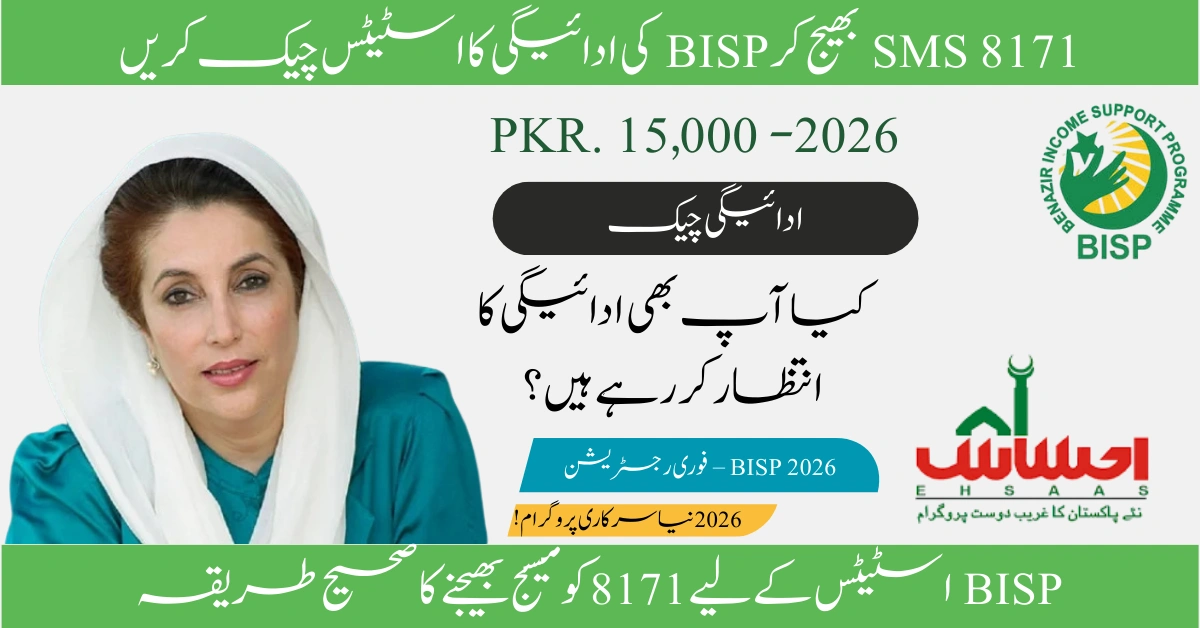
If you’re a beneficiary of the Benazir Income Support Programme (BISP) in Pakistan, knowing how to send SMS to 8171 for BISP check is essential for verifying your eligibility, payment status, and registration details. The 8171 SMS service is a free, quick, and convenient way to access your BISP information without visiting an office or using the internet.
What is the 8171 BISP SMS Service?
The 8171 BISP SMS service is an official helpline launched by the Government of Pakistan to provide instant information about the Benazir Income Support Programme. This service allows beneficiaries to check their eligibility status, payment details, and registration information by simply sending their CNIC (Computerized National Identity Card) number via SMS to 8171.
Key Features of 8171 Service:
- Completely free of charge (no SMS charges apply)
- Available 24/7 for all Pakistani mobile networks
- Instant response within seconds
- No internet connection required
- Works with any mobile phone (smartphone or basic phone)
- Secure and confidential information retrieval
Step-by-Step Guide: How to Send SMS to 8171 for BISP Check
Follow these simple steps to check your BISP status using the 8171 SMS service:
Method 1: Check BISP Eligibility Status
- Open your mobile phone’s messaging app (SMS or text message application)
- Create a new message
- Type your 13-digit CNIC number without dashes or spaces (Example: 1234567890123)
- Send the message to 8171
- Wait for the response (usually arrives within 10-30 seconds)
Example:
- Your CNIC: 42101-1234567-8
- SMS Format: Type
4210112345678and send to8171
Method 2: Check BISP Payment Status
The same process applies for checking payment status:
- Send your 13-digit CNIC number to 8171
- The reply message will include: • Your eligibility status (Eligible/Not Eligible) • Current payment amount (if eligible) • Payment method (biometric, debit card, or mobile wallet) • Next payment date (if applicable)
Method 3: Family Member Check
If you want to check BISP status for a family member:
- Use the CNIC number of the person registered with BISP
- Send that CNIC number to 8171
- The response will show information for that specific CNIC holder
Important Note: The mobile number you’re using doesn’t need to be registered with BISP. Any Pakistani mobile number can send an SMS to 8171 to check any CNIC’s status.
Understanding Your 8171 SMS Reply Messages
When you send your CNIC to 8171, you’ll receive one of several possible responses. Here’s what each message means:
| Response Message | Meaning | Next Steps |
|---|---|---|
| “Congratulations! You are eligible for BISP. Amount: Rs. 10,500” | You are an active beneficiary eligible to receive payments | Visit your designated payment center or wait for mobile wallet transfer |
| “Dear, You are not eligible for BISP” | You don’t meet the eligibility criteria or your survey score is too high | You can re-apply or update your information at a BISP office |
| “Your CNIC is not registered with BISP” | No record found in the BISP database | Complete the registration process through the BISP dynamic survey |
| “Your case is under process” | Your application or verification is pending | Wait for further updates or contact your nearest BISP office |
| “Invalid CNIC number” | The CNIC format is incorrect | Double-check and send the correct 13-digit CNIC number |
Common Issues and Troubleshooting Solutions
Issue 1: Not Receiving Reply from 8171
Possible Solutions:
- Ensure you’re typing the CNIC correctly (13 digits, no dashes or spaces)
- Check your mobile network signal strength
- Wait up to 2 minutes—sometimes responses are delayed
- Try sending the SMS again after a few minutes
- Contact your mobile network provider to ensure SMS services are active
Issue 2: “Invalid CNIC Number” Error
Solutions:
- Verify your CNIC number is exactly 13 digits
- Remove any dashes, spaces, or special characters
- Ensure there are no leading zeros missing
- Cross-check with your physical CNIC card
Issue 3: Status Shows “Not Eligible” Despite Financial Need
Solutions:
- Your Poverty Score (PMT) might be above the threshold
- Update your socio-economic information through a new survey
- Visit your nearest BISP Tehsil office with required documents
- Apply for reconsideration if your circumstances have changed
Issue 4: Information is Outdated
Solutions:
- The database updates periodically; check again after 48 hours
- Visit the BISP office to update your information manually
- Ensure your CNIC is not expired or blocked by NADRA
Alternative Methods to Check BISP Status (Besides 8171 SMS)
While the 8171 SMS service is the most convenient method, there are other ways to verify your BISP status:
1. BISP Web Portal
- Visit the official BISP website
- Navigate to the “Check Your Status” section
- Enter your CNIC number
- View detailed information online
2. BISP Mobile App
- Download the official BISP mobile application
- Register with your CNIC and mobile number
- Access comprehensive information including payment history
3. Visit BISP Office
- Locate your nearest BISP Tehsil office
- Bring your original CNIC
- Speak directly with BISP officials
- Get printed verification of your status
4. Call BISP Helpline
- Dial the BISP national helpline
- Speak with a customer service representative
- Provide your CNIC for verification
- Receive verbal confirmation of your status
Comparison Table:
| Method | Speed | Convenience | Detail Level | Cost |
|---|---|---|---|---|
| 8171 SMS | Instant | Highest | Basic | Free |
| Web Portal | Fast | High | Detailed | Free (internet required) |
| Mobile App | Fast | High | Very Detailed | Free (internet required) |
| BISP Office | Slow | Low | Most Detailed | Free (travel required) |
| Helpline Call | Medium | Medium | Detailed | Call charges may apply |
Who is Eligible for BISP and the 8171 Service?
The 8171 SMS service is available to all Pakistani citizens who want to check their BISP status. However, actual BISP eligibility depends on specific criteria:
BISP Eligibility Requirements:
- Pakistani citizenship with valid CNIC
- Poverty Score (PMT) below 32 (as determined by the National Socio-Economic Registry survey)
- Female head of household (preference given to women)
- Income below poverty threshold (approximately Rs. 50,000 per month for a family)
- No government employee in the immediate family
- No luxury assets (no owned car, no large property holdings)
Special Categories:
- Widows and orphans receive priority
- Persons with disabilities may qualify with relaxed criteria
- Senior citizens without income support
- Deserving transgender persons
Important Tips for Using the 8171 BISP SMS Service
Best Practices:
- Keep your CNIC readily available – Store a photo on your phone for quick reference
- Save 8171 in your contacts – Label it as “BISP Check” for easy access
- Check regularly during payment cycles – Verify before visiting payment centers
- Screenshot your responses – Keep records of your eligibility status
- Protect your information – Don’t share your CNIC with unauthorized persons
Security Reminders:
- The 8171 service will never ask for personal information beyond your CNIC
- BISP officials will never request money via SMS
- Beware of fake SMS services claiming to be BISP
- Always verify information through official channels
- Report suspicious activity to BISP authorities
Latest Updates and Changes to BISP in 2026
As of 2026, the Benazir Income Support Programme has introduced several improvements:
Recent Enhancements:
- Increased quarterly payment amount to Rs. 10,500 (up from previous amounts)
- Expanded coverage to include more deserving families
- Introduction of conditional cash transfers for education
- Digital payment methods through mobile wallets (JazzCash, EasyPaisa)
- Improved biometric verification systems
- Faster registration and verification processes
What This Means for 8171 Users:
- More accurate and updated information available through SMS
- Faster response times from the 8171 system
- Additional details included in SMS replies (payment method, next payment date)
- Better synchronization between survey data and SMS database
How BISP Determines Eligibility (Poverty Score Calculation)
Understanding how your eligibility is determined can help you better interpret your 8171 SMS response:
The Poverty Scorecard (PMT) evaluates multiple factors:
- Household Consumption – Monthly expenses and spending patterns
- Housing Conditions – Type of dwelling, construction materials, facilities
- Asset Ownership – Electronics, vehicles, livestock, land
- Income Sources – Employment status, business ownership, remittances
- Education Levels – Literacy and schooling of household members
- Demographic Factors – Family size, age distribution, dependency ratio
Scoring Breakdown:
- Score 0-32: Eligible for BISP support
- Score 33-40: Border line – may qualify for conditional programs
- Score 41+: Not eligible for regular BISP assistance
If your 8171 response shows “not eligible,” your PMT score likely exceeds 32. You can request a resurvey if your circumstances have changed significantly.
Frequently Asked Questions (FAQs)
Conclusion
Learning how to send SMS to 8171 for BISP check is a simple yet powerful skill that empowers beneficiaries across Pakistan to stay informed about their financial assistance status. By typing your 13-digit CNIC number and sending it to 8171, you can instantly verify your eligibility, payment status, and registration details—all completely free of charge.
Whether you’re checking your own status or helping a family member, the 8171 service provides quick, reliable, and accessible information without requiring internet access or smartphone technology. Remember to keep your CNIC information secure, check your status regularly before payment cycles, and visit your nearest BISP office if you need to update your information or resolve any issues.
The Benazir Income Support Programme continues to evolve with enhanced digital services, increased payment amounts, and expanded coverage to support Pakistan’s most vulnerable families. Stay connected, stay informed, and make full use of the convenient 8171 SMS service to ensure you receive the support you’re entitled to.